How It Works Features Get Early Access →
Radar Commerce · Preflight - Early Access

Stop chasing clients
for the right files.

Preflight replaces email threads and random Drive links with a structured, validated client upload portal. The right files, the right specs, on time - every time.

Sound familiar?
"Can you resend the logo as a PNG?" Wrong dimensions - again 3 email threads per project Launch delayed waiting on assets Corrupted file on delivery day

From request to approved in five steps

Preflight handles the entire asset collection workflow so you spend your time on the work, not the chase.

01

Build a template

Create a reusable checklist of everything you need - logos, photos, copy, documents - with exact specs for each requirement. Build it once, reuse it every time.

02

Start a project, get a link

Create a project from your template. Preflight generates a secure client upload link instantly - no login required on your client's end.

03

Client gets a guided portal

Your client sees an upload portal branded with your agency logo and color. Each file requirement is clearly explained. They know exactly what to submit and what specs to meet.

04

Three-layer validation catches bad files

Files are validated in the browser, on upload to S3, and again server-side deep scan. Wrong format, bad dimensions, corrupted file - all rejected before they reach your dashboard.

05

Review everything in one place

Your dashboard shows what's been submitted, what's still missing, and lets you download approved files. You get an email the moment a client finishes uploading - no inbox hunting.

Everything an agency needs for easy handoffs

Built for agency-to-client asset collection - not adapted from generic storage tools.

📋

Reusable templates

Build a template once, brand projects, or redesigns. Reuse it every time. Never rebuild the same checklist again.

🔗

Shareable client links

One link per project. No account creation required for your client. Works on any device, any browser.

Spec enforcement

Set exact requirements per file - format whitelist, dimensions, max size. Clients can't accidentally submit the wrong thing.

🛡️

Server-side validation

Every file is deep scanned on the server regardless of what the client submits. Corrupted, misnamed, or falsely typed files don't make it through.

🎨

Agency branding

Upload your logo, set your brand color. Clients see your agency's brand on the upload portal - not ours.

📬

Completion alerts

Get an email the moment a client finishes uploading. Automatic reminders nudge clients who haven't submitted.

📁

Direct-to-S3 uploads

Files go straight from the client's browser to S3. Fast, scalable, and nothing passes through our servers unnecessarily.

🏢

Multi-client ready

Run multiple projects simultaneously. Each client gets their own isolated, secure upload portal with no cross-contamination.

The right files. Every time.

Preflight validates in three stages, failing fast at each one. By the time a file reaches your dashboard it has passed browser checks, S3 header inspection, and a full deep scan.

No more discovering a corrupted PSD or wrong-dimension image on launch day.

Layer 1

Browser validation

File type whitelist, size limits, and dimension checks run instantly in the client's browser - before anything is uploaded. Fail fast, save time.

Layer 2

S3 header inspection

When the file lands in S3 we read the actual MIME type and size headers. Renamed files with wrong extensions are caught here.

Layer 3

Server deep scan

Every file is decoded and verified server-side. Corruption, false MIMEs, and dimension mismatches are caught and rejected. The server is always the source of truth.

See everything at a glance

Manage templates, track project status, and download approved files - all in one place.
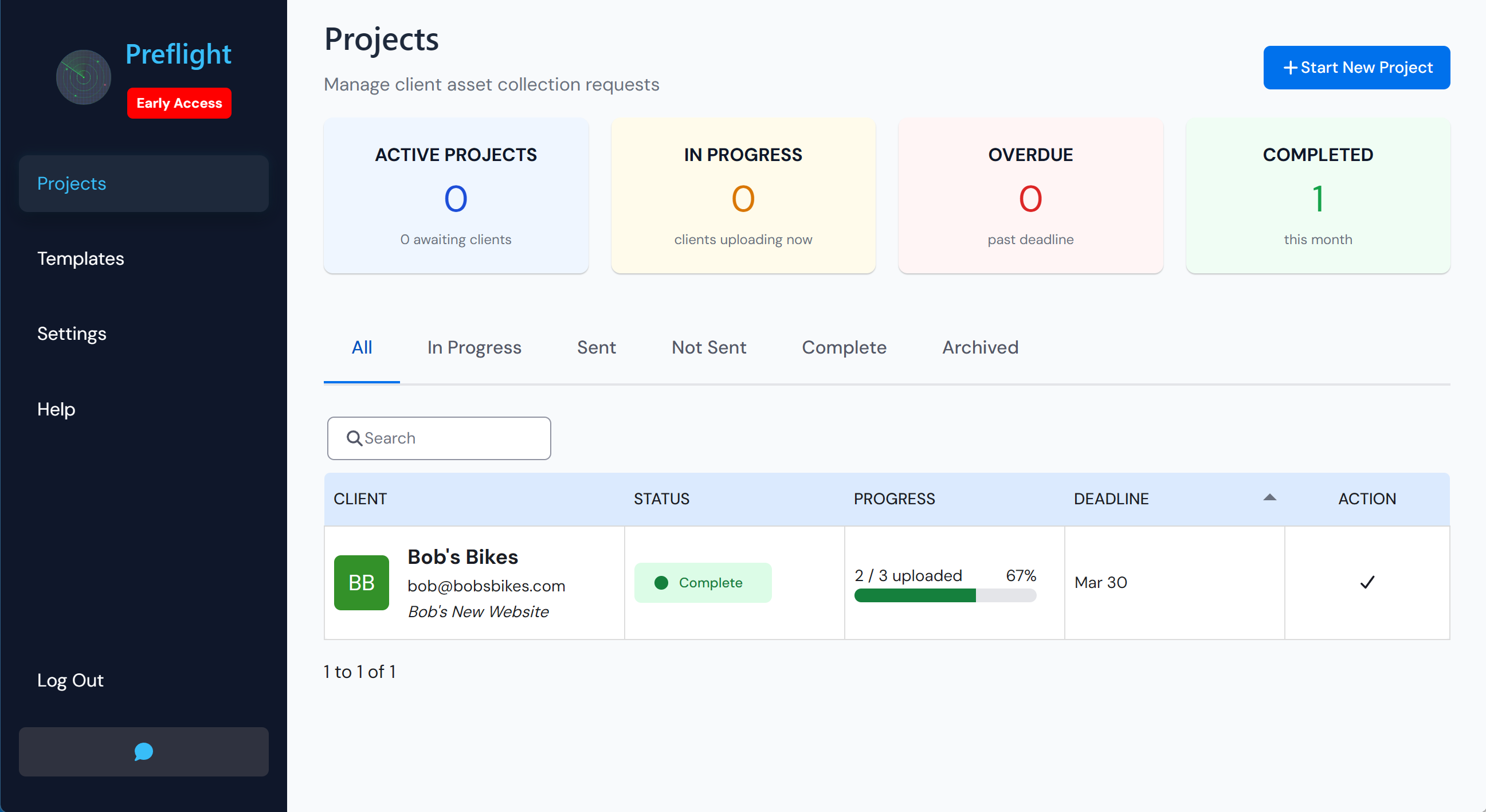
app.radarcommerce.com / projects
Preflight projects dashboard showing active asset collection projects and their status
Status at a glance

See which projects are complete, in progress, or waiting on clients - without opening each one.

Missing file tracking

Required files that haven't been submitted are flagged clearly so nothing slips through before launch.

One-click download

Download all approved files for a project in one action - no individual file hunting.
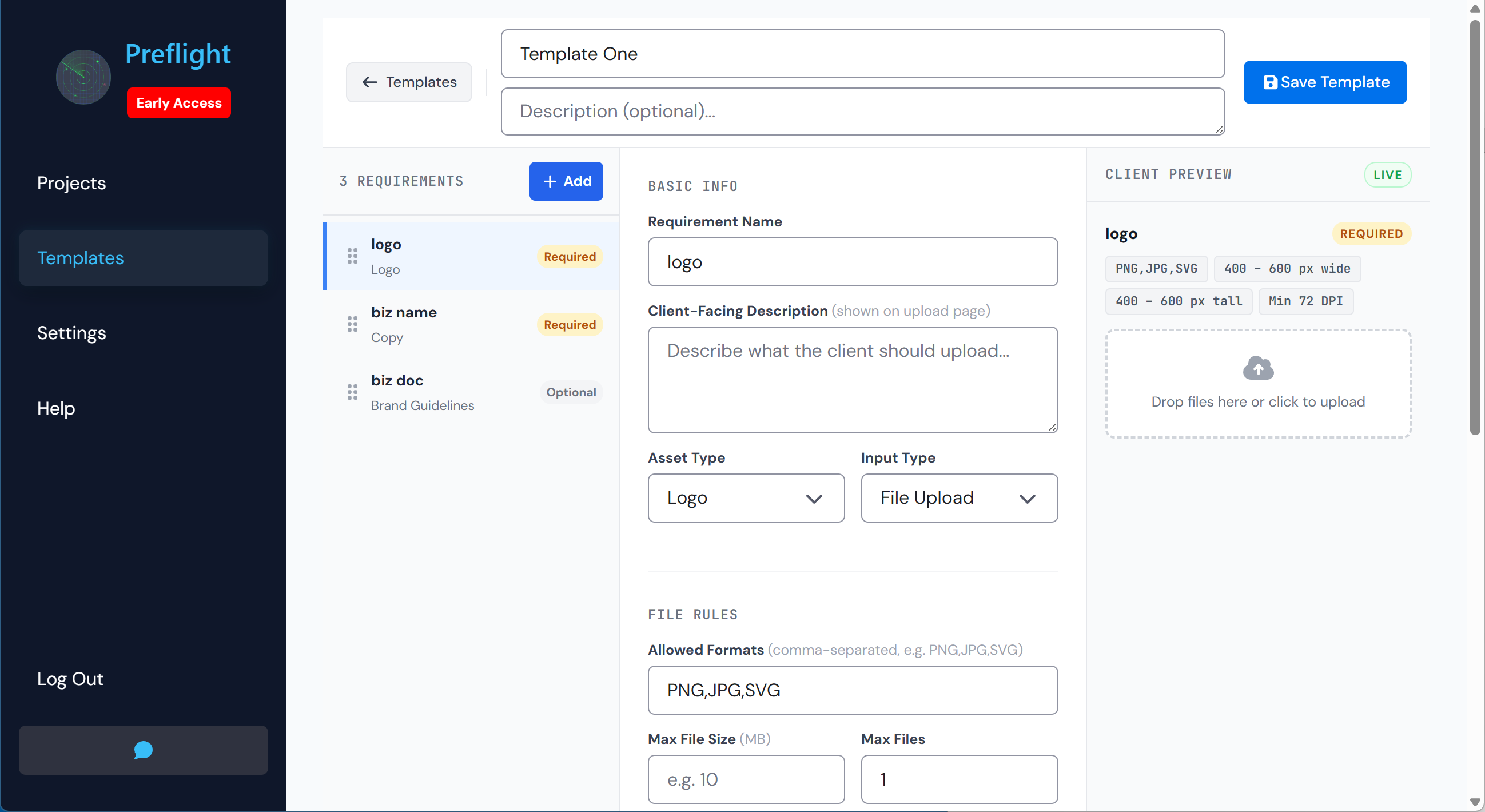
app.radarcommerce.com / templates
Preflight template builder showing requirements
Build once, reuse forever

Create a template with all your standard requirements and reuse it over and over.

Per-requirement spec control

Set allowed formats, min/max dimensions, and file size limits on each individual requirement.
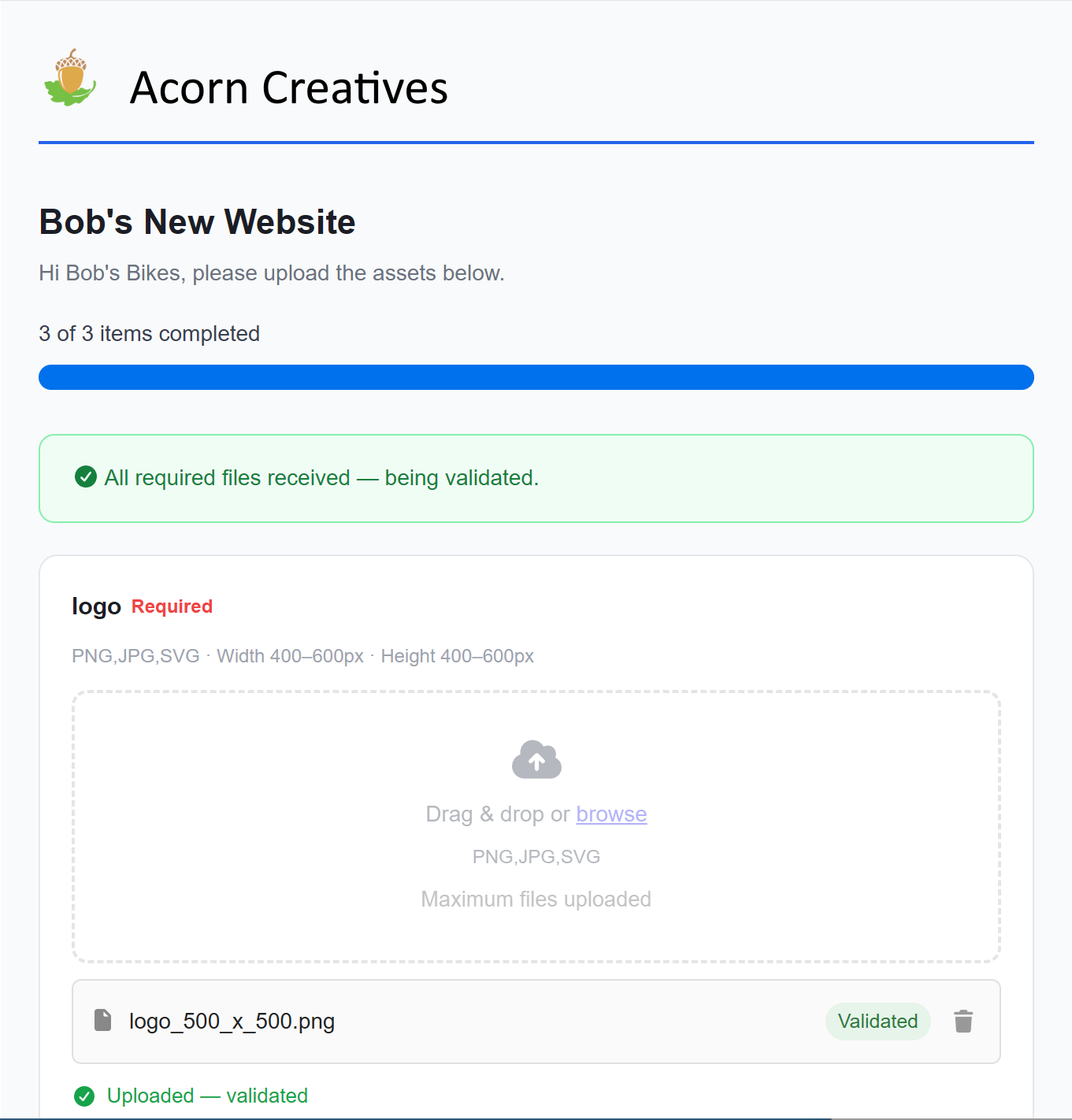
upload.radarcommerce.com / abc123
Client upload portal branded with agency logo showing file upload requirements
Branded with your agency

Your logo, your brand color. Clients see a professional portal - not a generic upload form.

No login required

Clients click the link and start uploading immediately. Zero friction, zero confusion.

Join the early access program

Sign In →